The demise of school libraries is a problem facing schools today. Budgets are shrinking and schools are eliminating an important part of learning. There has been a shift in elementary schools to focus on English and math, leaving other parts of a well rounded education to either be eliminated or reduced to almost nonexistent amounts of time during the educational year.
Students need access to books and libraries. We need to explore every option to continue to keep school libraries open so that students can access them for classes and research projects.
Some students don't take library time seriously. One idea I read about was to treat library time as a class- and have it be graded. I think that would instill the importance of the library to students, teachers, staff and faculty.
We need to add as many programs that allow school libraries and their programs to flourish. We need to be flexible to the needs of students so school libraries are beneficial to everyone.

Wednesday, May 24, 2017

Bring Your Own Device (BYOD)
BYOD (Bring Your Own Device) is the name for people bringing their own devices with them to the library. These devices can include but are not limited to computers, smart phones, eReaders, and tablets. This provides a great deal of flexibility and comfort for patrons because they are using devices they are familiar with. It can be difficult for libraries because they have to become really familiar with many different devices and it can be a drain on wifi at the library.
Librarians may have to help consumers download ebooks just as often as they help patrons locate and check out books from the shelves. There is not one device for eBooks, there are many. Some eReaders are Kindle, Nook, Cybook, Icarus, and Kobo to name several. that is a challenge to keep track of all of these devices and how to use them.
The future is here, and patrons will "bring their own devices" to the library. We need to make sure libraries and all staff are ready to help them with their devices.
Librarians may have to help consumers download ebooks just as often as they help patrons locate and check out books from the shelves. There is not one device for eBooks, there are many. Some eReaders are Kindle, Nook, Cybook, Icarus, and Kobo to name several. that is a challenge to keep track of all of these devices and how to use them.
The future is here, and patrons will "bring their own devices" to the library. We need to make sure libraries and all staff are ready to help them with their devices.
Makerspaces
Makerspaces are unique places within libraries that bring people together to share ideas.
"Makerspaces or hackerspaces are places in libraries where patrons can model and configure their innovative ideas by building or creating objects from materials and technology. Everyone is welcome to collaborate and share ideas in an unstructured, open setting." (Shaw, 193)
Online makerspaces are on the rise and allow people from all over to work together. Some people prefer to "create projects together online but prefer to post and share with each other through social networking such as Facebook." (Shaw, 196)
Makerspaces are wonderful spaces that provide comfortable locations for library patrons to interact and creativity to thrive.
Shaw, M.K. (2016) Library Technology and Digital Resources. Lanham, Maryland. Rowan and Littlefield.
"Makerspaces or hackerspaces are places in libraries where patrons can model and configure their innovative ideas by building or creating objects from materials and technology. Everyone is welcome to collaborate and share ideas in an unstructured, open setting." (Shaw, 193)
Online makerspaces are on the rise and allow people from all over to work together. Some people prefer to "create projects together online but prefer to post and share with each other through social networking such as Facebook." (Shaw, 196)
Makerspaces are wonderful spaces that provide comfortable locations for library patrons to interact and creativity to thrive.
Shaw, M.K. (2016) Library Technology and Digital Resources. Lanham, Maryland. Rowan and Littlefield.
Cloud Computing in Libraries
Cloud computing in libraries is a "routine way to store and back up data." (Shaw, 176)
Initially there were concerns about security and privacy, but the cloud simplifies many things and saves time and money. It allows libraries to store video, images and sound and provides access to to variety of materials such as eBooks and audiobooks that would be difficult if not impossible without the cloud.
It has many advantages including massive amount of storage space, access to our data wherever we are and a "safety net for backing up library data from fire, theft, and other disasters that would cripple library operations if the library relied only on servers to store their data in only one location or building." (Shaw, 176)
Shaw, M.K. (2016) Library Technology and Digital Resources. Lanham, Maryland. Rowman and Littlefield.
Initially there were concerns about security and privacy, but the cloud simplifies many things and saves time and money. It allows libraries to store video, images and sound and provides access to to variety of materials such as eBooks and audiobooks that would be difficult if not impossible without the cloud.
It has many advantages including massive amount of storage space, access to our data wherever we are and a "safety net for backing up library data from fire, theft, and other disasters that would cripple library operations if the library relied only on servers to store their data in only one location or building." (Shaw, 176)
Shaw, M.K. (2016) Library Technology and Digital Resources. Lanham, Maryland. Rowman and Littlefield.
Thursday, May 18, 2017
Blog Reflection
The link to our group blog is:
At the beginning of the LT130 class, I chose to join the “teaching
others technology” blog.
I was impressed with how easy it was to post messages,
modify the appearance of pages and add gadgets. We used blogger.com. It’s hard
to imagine a more user-friendly way to get started.
At this point, I’m not a big fan of blogging. I can see the
attraction for hobbyists and students, but it seems that there are other,
better ways of getting information.
Subscription Gadget
I added a subscription gadget to the footer to allow our readers to easily subscribe to our blog. Subscribers will never miss any updates, and having subscribers will give our blog a touch of legitimacy.
Monday, May 15, 2017
Archive Gadget
I added a Blog Archive gadget. Seeing that we have over 50 posts already creating a gadget to archive our posts monthly should help keep the posts organized and prevent the blog from becoming too cluttered.
Saturday, May 13, 2017
TOTAL PAGEVIEWS gadget
I decided to add the TOTAL PAGEVIEWS gadget to this blog because I believe it will help the creators and the audience to know how popular this blog is. Besides that, it also help us strive to provide the best of our work to our visitors.
Friday, May 12, 2017
Subscribe to email gadget added
The gadget I added is a Subscribe to gadget so visitors can enter their emails and get updates whenever a new blog post is posted. It is up in the upper right of the page.
Elizabeth
Elizabeth
Thursday, May 11, 2017
Gadget added - Translate button
I added the translate button way back when we first started the blog.
It's alive and well and living on our home page.
I added it so people from anywhere in the world can admire our work!
It's alive and well and living on our home page.
I added it so people from anywhere in the world can admire our work!
Wednesday, May 10, 2017
Gadget Added
I added a pages gadget so our blog would be more organized and it would be easier to locate information.
Saturday, May 6, 2017
Gadget Added
I added the Label Gadget which organized the past blog area down on the bottom right. Now, blog posts from the same month are grouped together and this list is alphabetical. It is easier to find a post and to see what other bloggers have posted on various topics. It's also a fun way to see from where we have come in one short semester.
Friday, May 5, 2017
Gadget Added
The gadget I decided to add is a search box. Visitors can use this box to quickly locate a post that has the information they are looking for, without having to go through each blog post. This will save the visitor time, making them more likely to return to our blog for help.
Thursday, April 27, 2017
Cloud Computing: Advantages and Disadvantages
Elizabeth Burnett
Cloud computing is basically sharing resources and services over the internet rather than a local server. In libraries, cloud computing has the potential to make libraries more efficient. Kaushik and Kumar (2013) state that cloud computing in libraries has important applications for building digital libraries, searching library data, website hosting, searching scholarly data, file storage, and library automation.
Cloud computing can be beneficial for libraries because it can “simplify process and save time and money”, according to OCLC.org. Data is more easily shared between services and users. Also, libraries do not have to worry about maintenance of servers and backup, which is a huge advantage.
There are some possible drawbacks of cloud computing. For instance, some concern has been raised about cloud computing and privacy. But overall, the trend towards cloud computing in libraries and other institutions appears to be growing stronger and offering more efficiency and backup.
Resources
Kaushik, A. & Kumar, A. (2013). Application of cloud computing in libraries.
International Journal of Information Dissemination and Technology, 3(4), 270-273.
OCLC Winds of Change: Libraries and Cloud Computing
http://www.oclc.org/content/dam/oclc/events/2011/files/IFLA-winds-of-change-paper.pdf
Cloud Computing Systems
Cloud Computing Systems
By Diana Guerrero
Post #4

It is embarrassing to accept it, but for me this term was probably the most difficult to define. After investigating some resources, I concluded that cloud computing is services where the user stores or pulls out information from the Internet. Some of the goals of using cloud according to Yan Han author of On the Clouds: A New way of Computing are "to support research, learning and teaching" Also, to help on the management of different library functions which replace the traditional way these would be performed. I must mention that many times handling this type of systems can be challenging for librarians because of all the knowledge of technology required. In addition one of the reasons cloud is successful, is because it only charges what is used.
Cloud Computing in Libraries
While Han Yan’s
article “On the Clouds: A New Way of Computing” is at times very technical,
he provides lots of valuable information for the layperson. He describes current
cloud computing services, presents his design experience, and discusses advantages
and disadvantages of using the cloud.
Yan states, “cloud computing fundamentally changes the ways institutions
and companies manage their computing needs. Libraries can take advantage of
cloud computing to start an IT project with low cost, to manage computing resources
cost-effectively, and to explore new computing possibilities”.
He defines cloud
computing as meaning:
1. customers
do not own network resources, such as hardware, software, systems, or services
2. network
resources are provided through remote data centers on a subscription basis
3. network
resources are delivered as services over the Web
While he acknowledges
concerns regarding security and technical issues, he maintains that “cloud
computing brings a fundamental shift in computing. It changes the way
organizations acquire, configure, manage, and maintain computing resources to
achieve their business goals. The availability of cloud computing providers
allows organizations to focus on their business and leave general computing maintenance
to the major IT companies”.
Click on this link for a related 7 minute video:
Works Cited
Yan, Han. "On the Clouds: A New Way of
Computing." Information Technology &
Libraries, vol. 29, no. 2, June 2010, pp. 87-92. EBSCOhost,
ezproxy.palomar.edu/login?url=http://search.ebscohost.com/login.aspx?direct=true&db=lxh&AN=50741403&site=ehost-live&scope=site.
|
Makerspaces
Makerspaces
By Diana Guerrero
Post #3

To be honest, I have not always visited libraries in the past until now that I became interested in studying about them. However, I remember the only time I visited one before my 20's and which I considered a traditional library because it had nothing to do with today's modern libraries. The first thing I noticed at first glance in today's libraries was the great idea of makerspaces. I think it is a great way to bring in patrons since many times themselves are always in the quest to learn something new and as "Librarians are continuously asked to look to the newest technologies and be knowledgeable in the latest trends" (Moorefield-Lang, 108) Some of the tasks performed at makerspaces could go from creating art, using technology, enhancing learning or simply having fun.
The Value of Makerspaces in Libraries and Schools, by Elizabeth Burnett
The Library as Makerspace defines the goals of a Makerspace as to “Spur innovation and artistic expression through hands-on experiences; Collaborate with the community to explore talents, skills, and expertise; Build technology confidence and integrate technologies into our services, spaces, and processes”
The Carlsbad City Library’s recently opened HUB offers a 3D printer, VHS to digital conversion, Final Cut software, Photoshop, GarageBand, photo scanning, Silhouette Cameo 2 Cutter, and beginning classes in things like TinkerCad and Arduino. This is all free for the general public. These sorts of spaces offer everyday people the opportunity to use technology for a few small projects that would be cost-prohibitive for them to purchase on their own.
Makerspaces in schools are also important because they allow students an opportunity to learn about things like circuitry and basic robotics, things that most people don’t learn about every day but are useful skills in a technology-driven era, and that teach problem solving skills.
The School Library Journal has an interesting article about starting a Makerspace at a high school, http://www.slj.com/2015/01/technology/creating-a-school-library-maker-space-the-beginning-of-a-journey-tech-tidbits/#_ . In this article, the author discusses how he funded his project with DonorsChoose.org, while other people may be able to use Kickstarter or GoFundMe, and with applying for grants from educational foundations. He was actually able to purchase a 3D printer for his high school. This is pretty amazing that a librarian who describes himself as not a tech expert could bring all this about.
References
http://librarymakerspace.blogspot.com/
The Demise of School Libraries
The Demise of School Libraries
By Diana Guerrero
Post #1
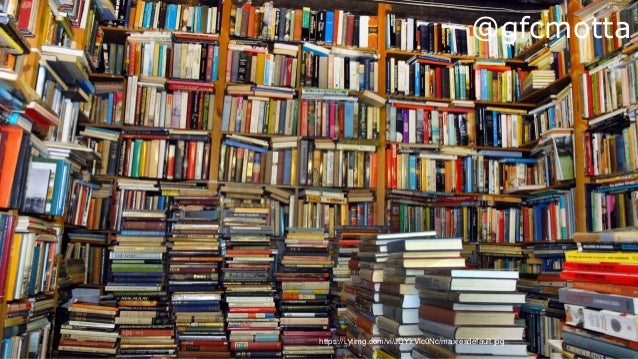
I never thought about the demise of school libraries until this moment when I have to look at their transformation over the years. With technology constantly changing, it is important for school libraries to be prepared for the demands and needs of staff and students. In my point of view, more than a fall, the technological changes have made the libraries advance even if they let go the traditional way in which some of us are accustomed. Laura Wernick author of The School Library is Changing states that "whether we like it or not, libraries are changing" but they have not failed to fulfill their mission of teaching those who come for help. In this dilemma there are people who disagree with the modernism implemented by the school libraries and believe that these new trends for education should no be supported. This is because it replaces teacher librarians, plagiarism is more likely to occur and many other objections considered as threats to the educational ethics.
BYOD
BYOD (Bring your own device)
By Diana Guerrerro
Post #2

There is no doubt that libraries must to keep innovated because "the BYOD (Bring your own device world is not only now, it is also tomorrow" (Marcoux, Teacher Librarian). Some of the benefits of BYOD are "the increase of student access to school provided ebooks, etextbooks and moodle units" (Jonson, Head for the Edge) In addition, it helps expand the learning allowing users to do research beyond the library setting. It is also important to mention that from this great advantage there also comes disadvantages such as privacy concerns and the fact that students with low income will be left behind because of the lack these resources.
Marcoux, Elizabeth. "BYOD." Teacher Librarian (2014): 41(3)-65. EBSCOhost. Web. 24 Mar. 2017.
Johnson, Doug. "Head for the Edge." Library Media Connection Aug. 2012: 98. Ezproxy. Web. 26 Apr. 2017.
BOYD Bring Your Own Device in Schools
BOYD, or Bring Your Own Device, time in schools has been gaining momentum in recent years. BOYD allows students to use their own devices to work on projects and collaborate in groups. Teachers can use this constructively to show the students a new educational app or how to improve a presentation or video.
An advantage of BOYD is that schools can save a huge amount of money by not equipping expensive computer labs. Another is that students can easily access their projects at school or at home without having to email, download, and convert files, some of which may not be compatible with their devices at home or at school.
A potential downside is considering the students who are low-income and do not have devices of their own who may feel left out as all of their peers take out their own devices and begin working. “Schools need to be sensitive to the needs, and ability to afford technology tools, of all families that they serve,” says Peter Vogel, a physics teacher. Another potential problem is that many young people today already spend too much time in front of a screen. Teachers may also have a more difficult time making sure students are staying on task when they are on mobile devices. However, if students believe that they are learning about useful technology that is directly related to future jobs, they are likely to be interested and motivated in the lesson instead of just reading another chapter in another textbook.
“These devices are so influential in our students’ lives. It is part of the way they’re being raised,” says Aubrey Dawe, an elementary school principal. Peter Vogel points out “[BYOD] can save a school money on infrastructure and may foretell the end of dedicated classroom computer labs. However, BYOD typically means a major revamping of a school’s Internet delivery technology, specifically advanced wireless capabilities.”
BOYD allows teachers to incorporate technology lessons in their teaching without having to schedule trips to schools library computer labs. They could opt to stay in their regular classroom and have a short time to use educational software or creative projects. This could save space in the computer lab for classes needing good desktop computers to download large files, such as working on large videos, or a large screen to work on graphic-intensive projects. BOYD device is also a way for schools to demonstrate that learning environments can be innovative and focused on the future instead of stuffy and useless, and to demonstrate that the internet and technology can be extremely powerful tools when used appropriately.
References
The Problem with the Demise of School Libraries

ideas.demco.com
As schools face budget shortfalls and teacher layoffs, and as society transitions more and more to electronic instead of print resources, funding to school libraries is cut and they are seen as expendable. More and more, school librarian positions are reduced to part-time jobs.
The most important point to consider is what is the purpose of a school library and why would schools still need them. What do school libraries offer that public libraries do not?
First, many children may not be able to get to the city library on a regular basis if it is located on the other side where they live and their parents have busy schedules. They may not have easy access on a weekly basis to books and other materials. Having a library that children can go to as a class and browse books and a place they can conveniently return books before or after school will encourage children to check out more books and read.
Secondly, not all children have access to a computer at home, or if they do, they may not have access to a quiet, productive place to do their work. Librarians can be a valuable resource to help students learn how to use new programs and evaluate the legitimacy of websites.
Thirdly, just because students have the internet, ebooks, and other resources does not man they know how to navigate them to find information properly. The California Department of Education collected data that shows that the ratio of certified librarians to students in California is the lowest in the nation and that this translate into decreased access to books and reduced research skills in students according to the President of the California School Library Association, Janet Gilmore-See (EdSource, 2014). Teachers alone will not be able to provide the best education possible to students. They should have the help of highly qualified school support staff. Debra Kachel, in the New Republic, writes that research has found that students who attend schools with librarians perform better on reading and writing tests, and that this is especially true of students from low-income backgrounds.
There is no escape from the fact that how people obtain information and entertainment is changing, but this does not make library services obsolete or that librarie are not an integral part of helping students access and navigate new forms of information.
Works Cited:
EdSource
New Republic
The demise of school libraries
“Google answers in
one afternoon more reference questions than all the public libraries in the United States in
an entire year,” Helping patrons with reference inquiries “is not our business
anymore” says Bill Ptacek director of the King County Public Library System in
Washington state.
Barbara Mantel asserts, “as a result, many librarians are
being redeployed into the community, training daycare providers and parents in
early literacy skills and working in public schools".
Mantel
observes that “academic libraries have seen a drastic decline in
reference requests but an increased demand for people space, whether to plug in
a laptop, quietly study or work on group projects, a reflection of teaching
trends that stress group assignments”.
“You
can say that space can happen anywhere on campus, and yes it can,” says Charles
Lowry of the Association of Research Libraries, “but it can't happen anywhere
else with a full array of information resources from print to electronic, with
expert help available from librarians and staff and in a central location. I
cannot imagine that you won't see physical libraries on
our campuses 10 years and probably 25 years from now.”
Mantel wonders, “should the physical library shrink as
books, journals and other materials increasingly become available in digital
form? What role will libraries play if e-books come to dominate the reading
experience? And should public libraries be privatized in an effort to save money?”

Mantel, B. (2011, July 29). Future of
libraries. CQ
Researcher, 21, 625-652.
Retrieved from http://library.cqpress.com/
Cloud Computing in Libraries
We’ve all heard
of the Cloud by now, but understanding what it actually is can be confusing. In
her article “Libraries in the Cloud: Making a Case for Google and Amazon,” Stephanie
Buck defines cloud computing as “the availability of IT-type needs offered as
services, often through a third-party vendor” (2009, 6). While the cloud
provides different types of services, the two services most beneficial to
libraries are data storage and software as a service. Putting the burdens of
server maintenance and software updates on an outside vendor clears up workflow
time (and often extra funds) for libraries to enjoy. Many smaller libraries
could even get away with using free services like Google Apps for their
in-house data management and save even more money (2009, 10).

Libraries with deep
digital collections could benefit greatly from using cloud-based data storage. Doing
so would ease the library’s bandwidth and allow patrons to access the
collections even faster. “…with faster retrieval times for patron requests and
more local server space, it could improve storage solutions for libraries”
(2009, 10).
As more and
more digital content is created every minute, having adequate server storage space
is critical. Libraries need to make sure they keep up with everyone else and
utilize this important technology. Changing like this will affect many
libraries and their staff in different ways, but the transformation is necessary
and will lead to a more advanced future for data access and retrieval.
Resources
Buck, Stephanie. "Libraries in the Cloud: Making a
Case for Google and Amazon." Computers in Libraries, vol. 29, no.
8, Sept. 2009, pp. 6-10. EBSCOhost,
ezproxy.palomar.edu/login?url=http://search.ebscohost.com/login.aspx?direct=true&db=aph&AN=44301305&site=ehost-live&scope=site.
Makerspaces
As school
libraries adapt to students’ changing needs and add collaborative spaces and
surfaces to their layouts, many of these spaces are becoming something special.
Makerspaces are areas in libraries devoted to facilitating group activities
such as arts and crafts, electronics, LEGO, sewing, and anything else requested
by patrons and provided by staff. In her article “Help! My Principal Says I
Need to Start a Makerspace in My Elementary Library!” Kristin Fontichiaro gives
expert advice on how to start a makerspace on a budget. “In a classroom, [a
makerspace] could be the addition of science kits to the curriculum, plus a few
bookshelves of tinkering kits and materials to keep kids engaged during down time.
In a public library, it might be the addition of new programming…or a set of
circulating science or art equipment. In a school library, it might range from
centers designed for mental relaxation to…digital fabrication tools like a 3D
printer” (2016, 49). I visited the makerspace in the Carlsbad City Library,
which is essentially a computer lab with two 3D printers. Staff give presentations
teaching how to 3D print, and patrons can sign up for appointments for longer
printing jobs.
Here is a video
showing a makerspace created by the Stewart Library:
Because of the
modular, snowflake nature of makerspaces, Kristin recommends communicating with
the administration to understand their goals for adopting one. Once staff is all
on the same page about the purpose for the makerspace (relaxation versus
creation versus exploration, etc.), they should research what the students want
or need in such a space. Based on the purpose and the students’ input, staff
can plan to acquire the right elements for the makerspace. Be also mindful of
budgeting for the present and future of the makerspace. Discuss with the administration
about what to buy and when. “Be sure to work with your principal on
differentiating between start-up costs (for once-only purchases like a sewing
machine or Silhouette paper cutter) and long-term costs (for occasional
purchases like cardboard, fabric, equipment repair, or 3D filament)” (2016, 49).

For a
makerspace to be healthy and bustling, Kristin recommends selecting a variety
of categories for activities and advertising them brightly so students or
patrons will flock to the activities that inspire them. Once its presence is
known, all staff have to do is maintain the budget and the scheduling of
activities and the makerspace will thrive.
Resources
Fontichiaro, Kristin. "Help! My Principal Says I
Need to Start a Makerspace in My Elementary Library!." Teacher
Librarian, vol. 44, no. 1, Oct. 2016, pp. 49-51. EBSCOhost,
ezproxy.palomar.edu/login?url=http://search.ebscohost.com/login.aspx?direct=true&db=aph&AN=119117883&site=ehost-live&scope=site.
Subscribe to:
Posts (Atom)